Wireless Call Button System: Instant Alerts, Zero Subscription
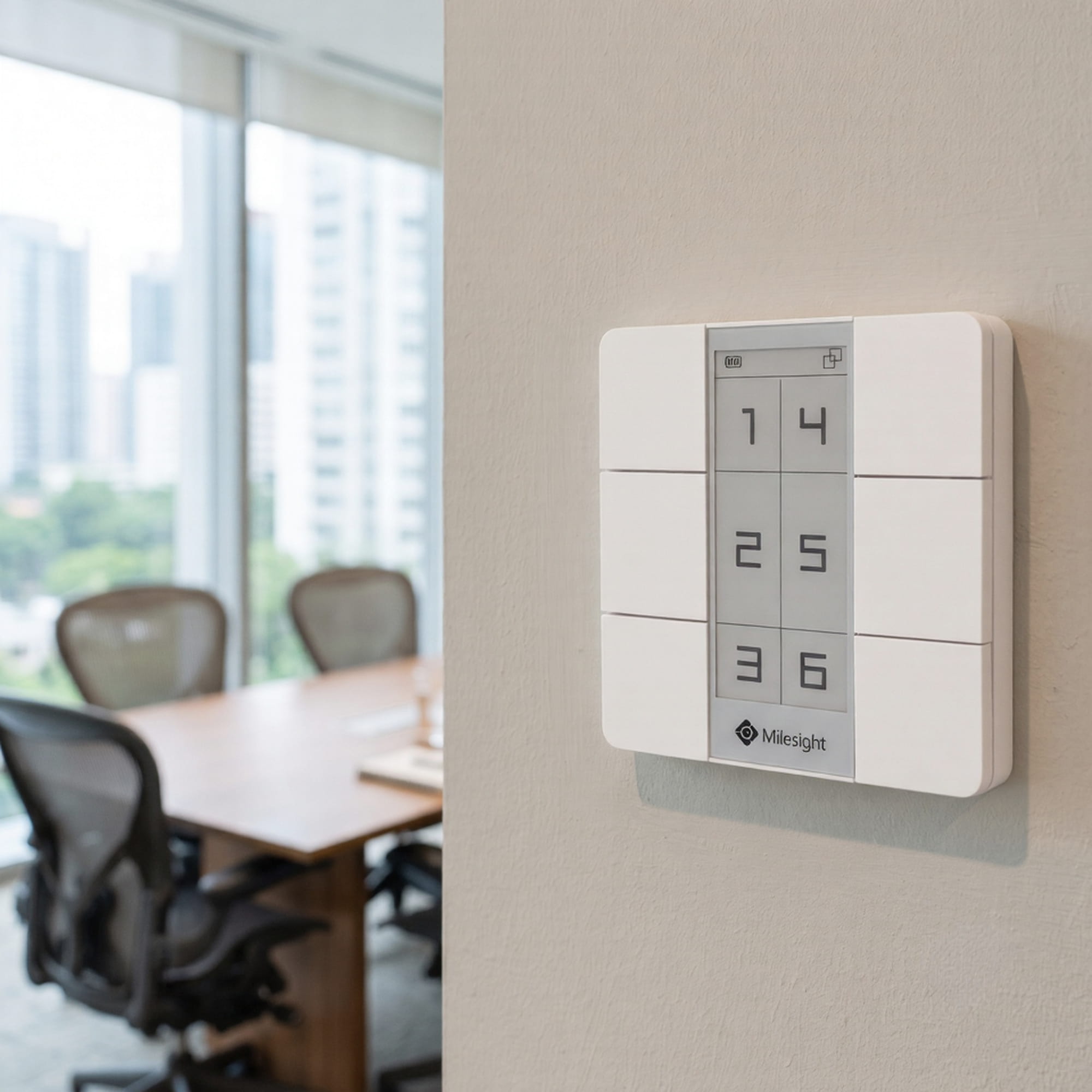
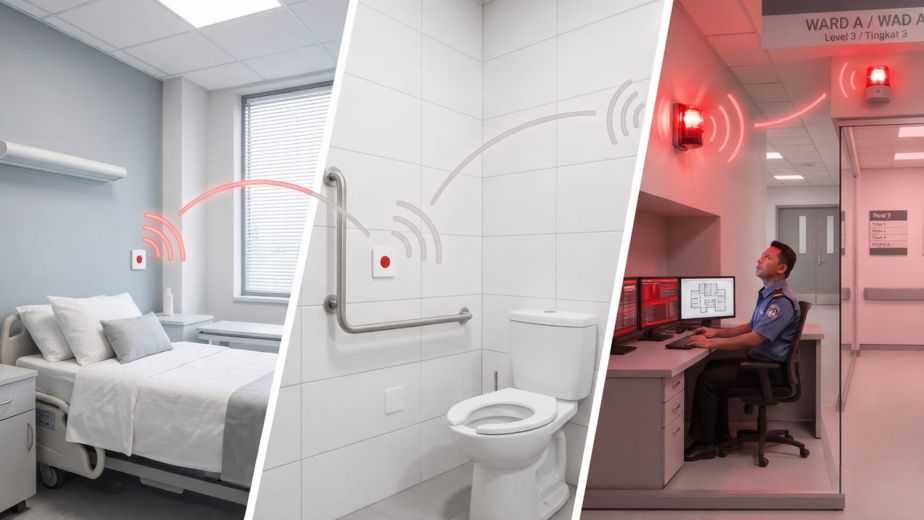
A wireless call button system lets your building’s occupants request IT support, beverages, security, or housekeeping with a single press — no wiring, no subscription, no new apps for your team.
The Problem Every Facility Manager Knows
Someone in the waiting room needs IT support. A guest in the meeting room wants tea. A visitor at the lobby needs directions.
In most buildings today, this plays out one of two ways: the visitor fumbles to find a phone number to call, or a staff member walks past and hopes they notice. Neither is efficient. Neither reflects well on your building.
The traditional solution — installing a call button system with wired connections to a central console — means civil works, cable trays, contractors, and a bill that rarely comes in under five figures. And once it is in, you are locked into that layout.
There is now a better way.
Introducing the Smart Wireless Call Button System
The Milesight WS156, deployed as part of NexAscent’s building intelligence solution, transforms any surface — a desk, a wall, a meeting room table — into a a six-button wireless call button system with a customisable E-Ink display.
No cables. No drilling (beyond a single screw or double-sided tape). No monthly software subscription.
When a visitor or occupant presses a button, a notification is sent instantly to the right person or team — via Telegram or email — with the room name, request type, and timestamp.
How the Wireless Call Button System Works
The Panel
The WS156 features six physical buttons, each mapped to a different service request. The built-in E-Ink screen shows clear, customisable labels — so occupants always know exactly what each button does.
Example layouts:
| Button | Label | Notifies |
| 1 | 🔧 IT Support | IT helpdesk group chat |
| 2 | ☕ Beverages | Pantry / tea lady |
| 3 | 🛡️ Security | Guard house |
| 4 | 🧹 Housekeeping | Cleaning team |
| 5 | 📋 Reception | Front desk |
| 6 | 🚨 Urgent | All teams simultaneously |
Labels are fully customisable. A hospital waiting room might use “Call Nurse” and “Request Wheelchair.” A serviced office might use “Book This Room” and “Request AV Support.” A hotel meeting floor might use “Order F&B” and “Contact Concierge.”
The Communication
The WS156 communicates over LoRaWAN — a low-power wireless protocol designed specifically for IoT devices in buildings. A LoRaWAN gateway installed in the building (or floor) picks up the signal and routes it to your building’s IoT platform.
From there, Node-RED — an open-source automation engine — processes the request and fires a notification to the right team, immediately.
A typical notification looks like this:
📍 Meeting Room B, Level 4 ☕ Beverage requested 🕐 Wednesday, 2 July 2026 — 10:14 AM
The team receives this on their phone via Telegram, or in their inbox via email. No app to install. No dashboard to monitor. Just a message, in the channel they already use.
What You Do Not Need
This is where the solution stands apart from conventional call systems:
| Requirement | Conventional System | This Solution |
| Cabling | Yes — per panel | ❌ None |
| Civil works | Often required | ❌ None |
| Dedicated call console | Usually required | ❌ None |
| Monthly software subscription | Common | ❌ None |
| Proprietary app for recipients | Often required | ❌ None |
| Internet connectivity | Sometimes | ✅ Required (standard building internet) |
The only ongoing requirement is a standard internet connection — something every commercial building already has. Telegram and email notifications are delivered over your existing network. There are no per-device licences, no cloud platform fees, and no recurring software costs.
The E-Ink Advantage
The WS156’s E-Ink display is not decorative — it is operational.
Unlike printed labels that become outdated or LCD screens that consume power continuously, E-Ink displays:
- Retain their image with zero power consumption — the label stays visible even if the battery is removed
- Can be updated remotely via your building platform, or on-site via NFC in under a minute
- Are clearly legible in all lighting conditions, including bright lobbies and dimly lit meeting rooms
This means you can reconfigure a panel for a new tenant, a new floor layout, or a seasonal service offering — without touching a screwdriver.
Battery Life That Matches Your Maintenance Cycle
The WS156 runs on two standard CR2450 coin cell batteries, rated for over three years under typical usage (approximately 20 button presses per day) -making this wireless call button system one of the lowest-maintenance solutions available.
For facility managers, this translates directly to operational simplicity:
- No power sockets required at installation points
- Battery replacement aligns with standard annual maintenance rounds
- Low-battery alerts can be configured to notify your team automatically before any service interruption occurs
Deployment: From Unboxing to Live in Under an Hour
One of the most common objections to IoT deployments is complexity. The WS156 addresses this directly.
Step 1 — Mount the Panel (5 minutes)
Attach to any wall, desk, or surface using the included 3M tape, desktop stand, or a standard 86mm electrical back-box. No tools required for tape installation.
Step 2 — Provision on the Platform (10 minutes)
Register the device on your building’s ChirpStack network server using the device EUI and app key printed on the unit. Select the AS923-1 frequency plan (standard for Singapore and Southeast Asia).
Step 3 — Configure the E-Ink Labels (5 minutes)
Use the Milesight ToolBox app on any NFC-enabled Android phone to set the button labels and screen layout. Hold the phone to the panel — configuration transfers in seconds.
Step 4 — Set Up Notification Routing (15–20 minutes)
In Node-RED, map each button (by device EUI and scene ID) to its destination:
- Button 1 → IT Support Telegram group
- Button 2 → Tea lady WhatsApp or Telegram
- Button 3 → Security guard Telegram
- And so on
Step 5 — Test and Hand Over (5 minutes)
Press each button, verify the notification arrives at the correct team, confirm the room and request type are displayed correctly. Done.
A single technician can deploy and commission a panel in under an hour. A 10-room rollout across a floor can realistically be completed in a single working day.
Ideal Deployment Locations for Wireless Call Button System
- Corporate waiting rooms — notify reception or IT when a visitor arrives or needs assistance
- Meeting rooms — request AV support, beverages, or housekeeping without leaving the room
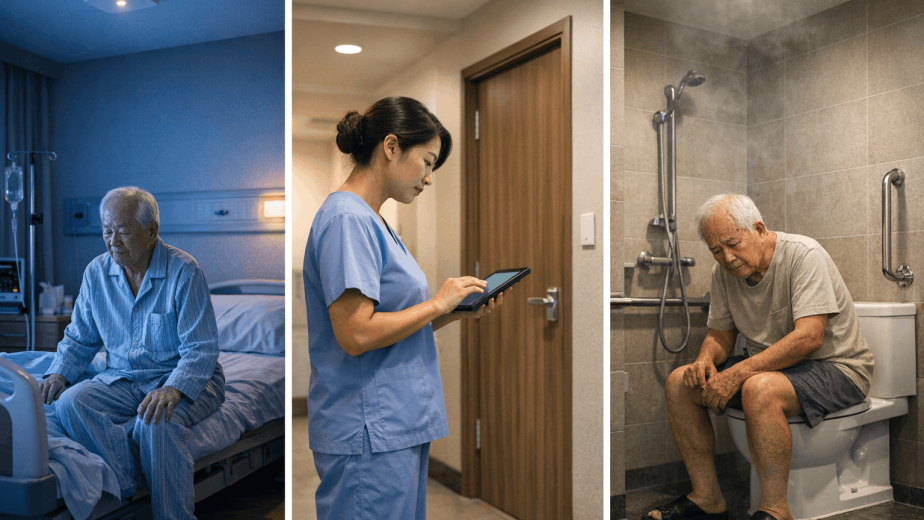
- Healthcare waiting areas — call for assistance, a wheelchair, or a nurse
- Hotel meeting floors — order F&B, request concierge, or report a facilities issue
- Co-working spaces — alert community managers to room issues or membership queries
- Eldercare facilities — discreet, large-button call panels for residents needing assistance
Built for Facility Managers, Not Just IT Teams
Most IoT systems are designed by engineers for engineers. This solution is designed with the facility manager’s operational reality in mind.
Service requests are logged automatically. Every button press — room, time, request type — is recorded. This gives you data for performance reviews, SLA reporting, and identifying recurring service gaps.
Notifications go to existing channels. Your tea lady does not need to learn a new system. Your IT team does not need another dashboard. Notifications arrive in Telegram or email — tools they already use.
The panel is self-explanatory. Occupants do not need training. The E-Ink label tells them exactly what each button does.
Reconfiguration is instant. When a tenant moves out, or your service model changes, update the labels and routing in minutes — not days.
What You Need to Get Started
| Item | Notes |
| WS156 panel(s) | One per room or deployment point |
| LoRaWAN gateway | One gateway covers an entire floor or building (depending on structure) |
| Building internet connection | Standard broadband — already present in commercial buildings |
| Telegram group(s) or email account(s) | For your service teams — free to set up |
| NexAscent IoT platform | Installed once; no recurring licence fee |
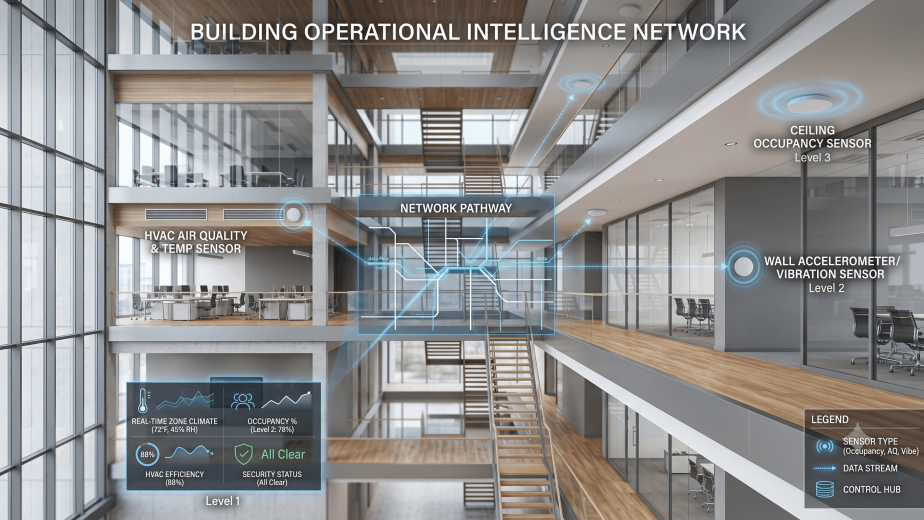
If you already have a LoRaWAN gateway deployed — for occupancy monitoring, air quality, or energy metering — the WS156 connects to the same infrastructure at no additional gateway cost.
A Word on Total Cost of Ownership
Conventional wired call systems involve installation costs, maintenance contracts, and often a per-seat or per-device software licence. These costs compound over time and lock you into a vendor.
The WS156-based approach has a different cost structure:
- Hardware cost: one-time, per panel
- Gateway cost: one-time, shared across all devices on the floor or building
- Platform cost: one-time setup; no recurring subscription
- Notification cost: zero — Telegram is free; standard email is free
- Maintenance cost: battery replacement every 3+ years
For a 10-room deployment, the total system cost — including gateway, panels, and setup — is a fraction of what a conventional wired call system would cost, with faster deployment and greater flexibility.
Conclusion
The wireless call button system is not a new idea. What is new is the ability to deploy one — cleanly, quickly, and affordably — without wiring, without subscriptions, and without asking your tenants or staff to change how they work.
The Milesight WS156, integrated into NexAscent’s building IoT platform, delivers exactly that: a professional, reliable, and maintainable wireless call button systemthat a facility manager can deploy in a morning and trust to run for years.
Ready to run a pilot in your building? Contact NexAscent to discuss a deployment for your waiting room, meeting floor, or facility.
NexAscent builds practical IoT solutions for smart buildings across Singapore and Southeast Asia. Our solutions are designed for facility managers who need reliability, not complexity.