Venue Occupancy Management System — Smart Crowd Control, 1-Day Install
Know When Any Hall or Floor Is Full — Before It Becomes a Problem
The Challenge
A venue occupancy management system is the simplest way to prevent any hall or floor from becoming dangerously overcrowded — giving your team live headcounts across every zone, automatically, without manual counting.
Whether you manage a church, temple, mosque, exhibition hall, community centre, or event space, the challenge is the same: on a busy day, it is easy for one area to quietly fill up beyond what is safe, while another still has room. By the time someone notices, the situation is already difficult to manage.
Singapore’s fire safety regulations specify a maximum number of people per floor or hall for every building. Exceeding that limit — even briefly — creates a compliance risk and, more importantly, a safety risk for your visitors and congregation.
Manual counting is unreliable, especially when staff are busy managing other aspects of the event. And when something goes wrong, “we were counting by hand” is not a defensible answer.
What This Venue Occupancy Management System Does
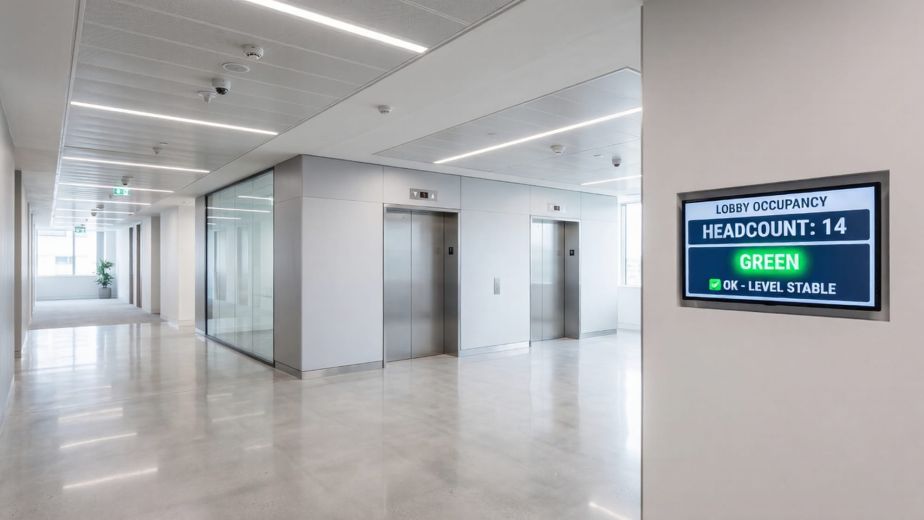
NexAscent’s venue occupancy management system gives your team a clear, live view of how many people are in each hall or floor, updated automatically throughout any event or service.
When any space approaches its approved limit, your staff are alerted immediately — so they can redirect incoming visitors before the situation becomes a problem, not after.
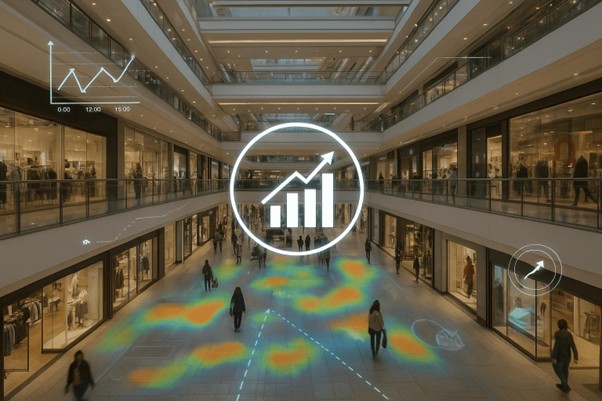
At the end of each day, a summary report is automatically emailed to your team, showing attendance figures broken down by area and time period.
No manual counting. No guesswork. No clipboards.
Who This Is For
This system is suitable for any venue with multiple halls, floors, or zones where crowd flow needs to be managed:
- Houses of worship — churches, temples, mosques, gurudwaras
- Exhibition and convention halls
- Community and civic centres
- Event spaces and function rooms
- Museums and heritage sites
- Sports halls and stadiums
- Shopping malls and retail concourses
If your venue has more than one area where people gather, and you need to ensure no single area becomes overcrowded, this venue occupancy management system is designed for you.
How It Works
The system has three parts: sensors that count people at each entrance or zone, a small on-site hub that processes the data and hosts the live dashboard, and the displays and reports your team acts on.
What a Venue Occupancy Management System Includes
People Counters — Milesight VS135 and VS125
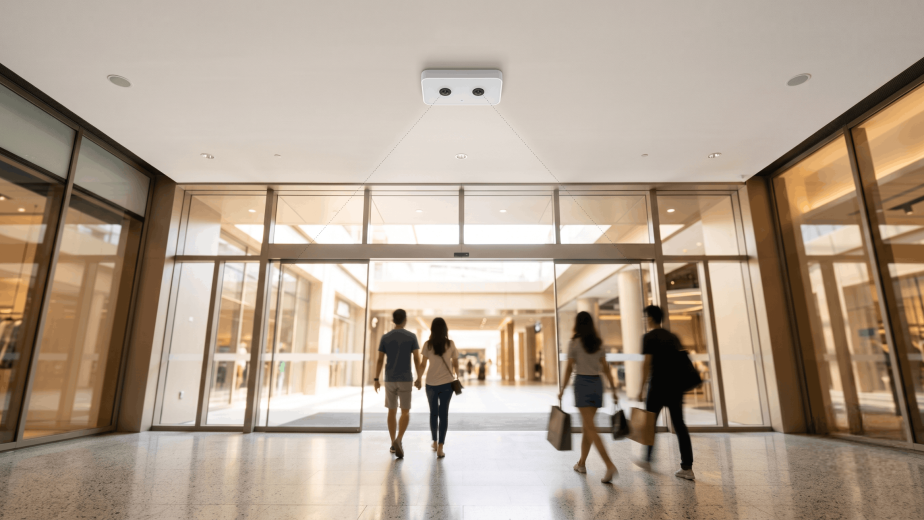
The VS135 is a compact ceiling-mounted sensor placed above the entrance to each hall or zone. It uses depth-sensing technology — no camera, no images — to count the number of people walking in and out. One unit is installed at each zone entrance you want to monitor.
The VS125 is placed at the main building entrance to give a total headcount of everyone entering and leaving the premises. It is designed for outdoor use and connects over 4G — no cabling to the building is needed.
Both sensors are mains-powered, accurate to better than 99%, and require no ongoing attention once installed.
Status Displays — Milesight DS3604
The DS3604 is a slim digital display that mounts to any wall with adhesive tape — no drilling, no power cable. It runs on replaceable batteries lasting well over a year under typical operating conditions.
One is placed at each zone entrance and at the main reception or information desk. Each display shows the current occupancy, a fill percentage, and a simple status — Available, Filling Up, or Full — so any staff member can read the situation instantly.
Because the display uses e-ink technology, it remains perfectly readable in all lighting conditions and consumes no power when the content is not changing.
On-Site Hub — Milesight UG65 or Raspberry Pi 4
A small hub device sits discreetly in a server room, cabinet, or back office. This is where all the data comes together.
- For a wireless setup (recommended for most venues), the Milesight UG65 acts as both the wireless receiver and the processing hub. It is approximately the size of a small router and connects to your venue’s network.
- For a wired setup, a Raspberry Pi 4 — a compact device roughly the size of a deck of cards — serves as the hub instead.
Either way, the hub runs Node-RED, a lightweight software platform that handles processing, drives the live dashboard, updates the displays, and sends the daily email. Everything runs locally on this device. There is no cloud service and no subscription.
What Your Team Sees
Live Dashboard
On any laptop or tablet connected to your venue’s Wi-Fi, open a browser and go to the hub’s local address. The dashboard shows all monitored zones in real time — current headcount, fill level, and status. No app to install. No login required on a trusted device.
DS3604 Displays at Each Entrance
Staff positioned at any entrance or redirect point can see the status of every zone on the nearest display — without needing to radio a colleague or check a phone.
Daily Email Report
Each evening, a summary email is sent automatically to your venue manager and any other recipients you choose. It shows attendance by zone, peak occupancy, and the time of peak. No one needs to compile this — it just arrives.
Key Benefits
Keeps your visitors safe Your team always knows the live headcount — a core benefit of any venue occupancy management system in each area, so they can act before any space becomes overcrowded — not after.
Meets fire safety requirements The system helps your team stay within the SCDF-approved occupant load for each hall or floor, without relying on manual estimation.
Works for any event format Whether you run a single large gathering, multiple concurrent sessions, or a rotating programme across several zones, the system adapts. Each zone is monitored independently, and counters can be reset between sessions.
No cloud, no subscription All data stays on your premises. There is no external platform, no monthly fee, and no dependency on a third-party service. If your internet connection goes down, the system keeps working — the only function requiring internet is sending the daily email.
Battery-powered displays — place them anywhere The DS3604 displays mount with adhesive tape and run on replaceable batteries. No cabling, no electrician, no fixed installation. They can be repositioned for different event layouts.
Scales with your venue Add more sensors and displays as your needs grow — covering additional halls, temporary exhibition spaces, or seasonal overflow areas.
Low maintenance Once installed and configured, the system runs on its own. The only routine task is replacing display batteries roughly once a year.
What Your Team Needs to Do
Day-to-day: Nothing. The system runs automatically.
Before each session or event: A staff member presses “New Session” on the dashboard to reset the counters. This takes about two seconds.
Occasionally: Replace the DS3604 batteries roughly once a year — a simple coin-cell swap, the same as a wall clock.
If something changes (new session times, new email recipients, adjusted capacity thresholds, additional zones): these settings can be updated in a few minutes through the browser interface.
At a Glance
Solution type / Venue occupancy management system
| Suitable for | Any multi-hall or multi-floor venue |
| People counters | Milesight VS135 (indoor zone entrances), VS125 (main entrance, outdoor) |
| Zone displays | Milesight DS3604 (e-ink, battery-powered, adhesive mount) |
| On-site hub | Milesight UG65 (wireless) or Raspberry Pi 4 (wired) |
| Dashboard | Browser-based, any laptop or tablet on your venue Wi-Fi |
| Internet required? | Only for daily email delivery |
| Cloud subscription? | None |
| Data stored offsite? | No — all data stays on your premises |
| Camera or image capture? | No — sensors use anonymous depth counting only |
| Display batteries | Replaceable, typically once every 12–18 months |
| Installation time | One visit, typically within a day |
| Ongoing maintenance | Minimal — battery replacement only |
To arrange a site visit or discuss your venue’s requirements, contact us to discuss how a venue occupancy management system can be deployed at your venue.